
Going live with Odoo is the start of using the system. Businesses change: new employees, products and approval flows appear. When rules and settings do not keep up, data becomes less accurate and teams return to spreadsheets and manual checks.
Preserving implementation results takes three foundations: good data, clear ownership and regular support.
Spot the warning signs early
- Reports need checking against separate spreadsheets.
- Documents remain unfinished and required information is added later.
- Employees duplicate contacts or products, or bypass approvals.
- The same questions keep coming back to support.
Review the process with its owner. The cause may be an awkward workflow, insufficient training or changed requirements, as well as user mistakes.
1. Assign ownership of processes and data
Every key process needs an owner who agrees the rules, checks outcomes and decides what must change. Appoint key users to help colleagues and collect feedback.
Involve your internal IT team or responsible external specialist during implementation. Document settings, integrations and decisions. Aim for manageable support and accessible knowledge. There is no fixed deadline for becoming independent of the integrator: the support model depends on system complexity and company resources.
2. Prevent errors at system level
Start with a small set of critical rules: partner details, units of measure, product categories, analytics and document approvals. Define when each rule is checked and who resolves exceptions.
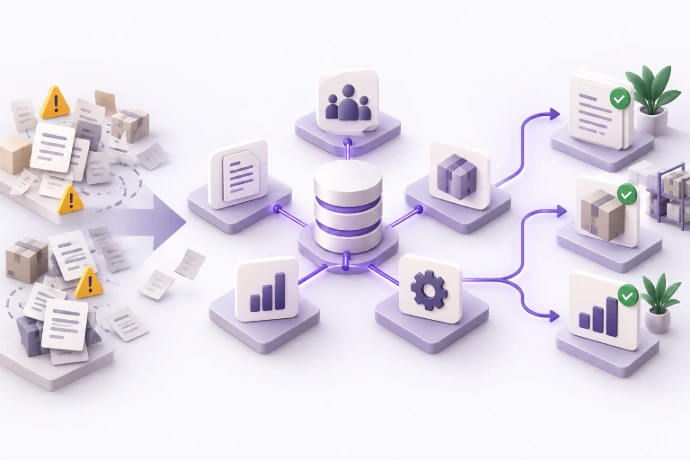 Reliable reports start with rules for entering and validating data.
Different Odoo mechanisms serve different purposes:
- Required fields and guidance help users complete documents correctly.
- Selection domains and read-only interface fields reduce accidental mistakes but do not replace server-side validation or access security.
- SQL constraints and Python checks enforce business rules at model level. Implementing and testing them requires technical work.
- Access rights and record rules determine which data users may read and change.
Studio, Helpdesk and automation features depend on the Odoo version, edition, installed apps and hosting option. Some tasks need configuration; others need a separate module.
3. Review exceptions regularly
Create a short list of control reports: unfinished documents, possible duplicates, overdue approvals, integration failures and missing analytics. Assign an owner and response deadline to each report.
Adapt checks to your business. Negative stock does not always mean an error: first agree the permitted inventory and accounting scenarios. Automatic notifications should trigger a specific action rather than create noise.
4. Train with real scenarios
Explain the purpose as well as the clicks: who uses the data, how it affects reports and when to ask for help. Short role-based instructions are easier to maintain than one large document.
After changing a process, update the instructions and test a typical scenario with a user. New employees need the same clear learning path.
 Shared knowledge and a clear support process keep the system sustainable.
5. Turn support into improvements
Collect requests in one channel, such as Helpdesk if it is part of your setup. Record the process, reproduction steps, expected outcome and business impact. Do not send passwords or unnecessary personal data.
Analyse recurring requests separately: a hint may be enough, or training or process changes may be needed. Test changes in a test environment, including permissions, integrations and core workflows, then deploy them to production through an agreed procedure.
A practical support routine
- Weekly: review critical errors, stuck documents and integration failures.
- Monthly: check master data quality, recurring requests and progress on agreed improvements.
- After changes: update instructions, test scenarios and assign owners.
This is an example routine: choose the frequency according to transaction volume and risk. Odoo’s sustainability depends on whether the team spots deviations and follows corrections through to completion.
Want to find where your system is losing efficiency?
Book a meeting to discuss processes, data quality and a support plan.
Odoo technical references: checks and constraints; access rights and record rules. These examples refer to Odoo 18; check the details against your version.